Understand AX in 30 seconds

See how AI can reshape everyday work—and what that could mean for your business.

01Recognize the problem

The slow part is often the handling, not the decision.

Repetitive work, document and data processing, and tools that do not share a record consume time before anyone can act.

Editorial illustration of disconnected documents marked with restrained amber friction.
  • Repetitive workThe same details are copied, checked, and sent on.
  • Document and data processingPreparing the record takes longer than the action it supports.
  • Disconnected toolsEach system holds part of the picture, so someone joins them by hand.

02Understand AX

AI Transformation changes how the work is organized.

AX means AI Transformation. It redesigns a workflow so AI can prepare, retrieve, and route information. People still approve what matters and make the decision.

Editorial illustration of a glass core connecting documents, knowledge, workflow and systems.
  • OrganizedThe steps follow a path instead of a chain of handoffs.
  • SupportedAI takes on preparation that a person would otherwise repeat.
  • PerformedA person acts on a prepared case and keeps the judgment.

03See practical possibilities

Start with one workflow, not every workflow.

These are labelled illustrations of what AI can support and where a person decides. They are not measured client results.

Editorial illustration of a document being read and routed.
Documents
Editorial illustration of a source being retrieved into a brief.
Knowledge
Editorial illustration of an enquiry meeting its customer record.
Customer requests
  • Document extraction, checking and routingAI reads the fields, checks what is missing, and routes the file. A person handles the exception.
  • Knowledge retrieval and report preparationAI finds the source and drafts the brief. A person confirms the conclusion.
  • Customer enquiry and CRM workflowsAI gathers the enquiry and the related record. A person chooses the reply.

04What WhateverAsk delivers

The output is a working workflow, not a slogan.

Diagnosis comes first. A build follows only for the work that was agreed.

Editorial illustration of a diagnosis folder, a workflow map, a built module and a review notebook.
  • DiagnosisHow the work moves today, and where it breaks.
  • PrioritizationOne starting point, chosen with the business.
  • Workflow redesignWho prepares, who decides, and which system carries the result.
  • Scoped implementationThe agreed workflow, built and connected.
  • TestingChecked against the real steps, including exceptions.
  • AdoptionSupport for the people who will use it.
  • Operating supportA review point after it is running, agreed in the scope.

05Intended value

The aim is capacity, not a promised growth rate.

A redesigned workflow can return time and context. What counts as better is agreed and then observed. Nothing here is a guarantee.

Editorial illustration of clearer information leading to a customer response and open capacity.
  • Less reworkFewer cases handled twice because the record was incomplete.
  • Faster information accessThe source is available without a search across several tools.
  • Better customer handlingThe enquiry arrives with the context a reply needs.
  • Capacity for higher-value workTime can move from preparation to the decision.
  • How it would be measuredAgree one or two signals first, such as the time for a single step or how often a case comes back. Those signals are for review, not a forecast.

06How engagement starts

The first consultation examines one problem.

It is a proposed conversation. It does not set a price, a start date, or a promise to build.

Editorial illustration of a path from a discussion to a priority, a delivery and a review.
  • Bring the business problemWhat is slow, repeated, or split across tools.
  • Bring the current processWho touches the work, and which systems are involved.
  • Bring the desired improvementWhat should be easier or clearer if this is worth doing.
  • What the next step can produceA view on whether a scoped next step is appropriate, and what that step would examine.

07Make a relevant decision

Discuss the problem you want examined.

Choose a starting point if one fits. You can also leave this story and look at the implementations below. An enquiry opens your email and is not sent until you send that message.

Editorial illustration of an inviting glass workflow opening toward a consultation and later implementation.
Editorial illustration of disconnected documents marked with restrained amber friction.Editorial illustration of a glass core connecting documents, knowledge, workflow and systems.
Editorial illustration of a document being read and routed.
Documents
Editorial illustration of a source being retrieved into a brief.
Knowledge
Editorial illustration of an enquiry meeting its customer record.
Customer requests
Editorial illustration of a diagnosis folder, a workflow map, a built module and a review notebook.Editorial illustration of clearer information leading to a customer response and open capacity.Editorial illustration of a path from a discussion to a priority, a delivery and a review.Editorial illustration of an inviting glass workflow opening toward a consultation and later implementation.

Illustrations are editorial. The examples are not measured client results. An enquiry opens your email and is not sent until you send that message.

Services and solutions

Choose a module after the diagnosis.

WhateverAsk is a human-led AX consulting and implementation practice. AI can prepare drafts, organize information, and speed up production. Diagnosis, scope, your approval, quality review, and follow-up stay with people.

Rhythm first, agents second. A module is used when it fits the business in front of us. It is a menu of support, assembled after the problem is understood.

You keep the business.

  • You retain the domain, the accounts, the business data, and the final decision.
  • WhateverAsk works inside a scope agreed with you.
  • Live accounts and systems change after you review and approve.
  • Later value comes from useful follow-up and the next agreed improvement. Your access stays yours.

Unbranded restaurant storefront used as an illustration of local visibility. It is not a client listing or a ranking report.

Google Business Profile and local visibility

Business need. People searching nearby need the public listing to match the real business: the name, the place, the hours, and what you offer.

What WhateverAsk may do. WhateverAsk can compare the public profile with the business you describe, prepare corrections, and draft updates for you to approve.

What you provide or approve. You provide profile access or a clear approval path, the hours and offers that are actually true, and a yes before a live listing changes.

Select local visibility

Editorial illustration of a review note beside a reply draft marked for approval. It is not a Google screenshot.

Google review monitoring and reply preparation

Business need. A public review needs a reply that fits the facts and the way the business speaks.

What WhateverAsk may do. Within an agreed scope, WhateverAsk can watch for reviews, prepare a reply, and hold it until you approve the wording.

What you provide or approve. You supply what actually happened, the tone you want, and approval before anything is posted. A draft does not post itself to Google.

Select review assistant

Editorial illustration of a laptop and phone showing the same simple page and a contact button. It is not a client website.

Landing pages and local SEO

Business need. A visitor needs one clear page: what the business is, where it is, and what to do next.

What WhateverAsk may do. WhateverAsk can plan and build that page inside the agreed scope, with headings and business details a person can read and a search or AI tool can parse.

What you provide or approve. You provide the offer, the location, and the sentences you will stand behind, then approve the page before it goes live.

Select landing page

Editorial illustration of a web page connected to an empty search field. It shows no rankings or results.

Structured business information

Business need. The same facts should stay understandable when a customer, a search engine, or an AI-assisted tool tries to read the business.

What WhateverAsk may do. WhateverAsk can organize name, place, hours, services, and the next step so the public pages you approve say the same thing.

What you provide or approve. You are the source of those facts, and you review them again when the business changes.

Select search optimization

Editorial illustration of a vertical video frame beside an editing strip. It is not an Instagram or TikTok screenshot.

TikTok and Instagram short-form

Business need. Short video can introduce a business when that channel fits how its customers already look.

What WhateverAsk may do. WhateverAsk can plan and create short-form pieces from images or footage you approve, and show you a draft before publishing.

What you provide or approve. You provide the footage or permission to use it, the corrections that protect the brand, and approval before a post goes live. A recurring schedule is included only when the agreed scope says so.

Select reels service

A person reviews operations on a tablet in a quiet restaurant workspace. Illustrative scene, not a client dashboard.

Workflow review and process improvement

Business need. A step can be clear on its own and still stall when it passes to the next person or the next tool.

What WhateverAsk may do. WhateverAsk can walk through how the work moves today, name one priority with you, and propose a practical change inside the agreed scope.

What you provide or approve. You describe who touches the work, which accounts are involved, and which change is worth making.

Select workflow review

A restaurant kitchen line, used to illustrate team procedures in a real service setting. It is not a client SOP document.

SOPs, customer follow-up, promotion, and team handoffs

Business need. Repeatable work, customer follow-up, and team handoffs need a written path when they are part of the priority you chose.

What WhateverAsk may do. WhateverAsk can draft a procedure, a simple customer-record path, or a promotion checklist for that agreed scope.

What you provide or approve. You confirm how the team actually works, what customers have agreed to receive, and which draft may go live.

Select process support

Choosing a service opens an email enquiry. It does not start the work, and nothing is sent until you send that email. A reply is a draft you approve before anything is posted. Posting or a recurring schedule is included only when that is part of the agreed scope. These modules do not promise rankings, enquiries, bookings, views, or revenue.

Not sure? Discuss your business


Connected workflow

Separate jobs can share one operating flow.

Small businesses often handle the listing, the page, the social posts, the reply, and the lesson as unrelated chores. WhateverAsk looks for the handoff between them, then uses what actually happened to guide the next improvement.

  1. Business information

    Name, place, hours, offer, and the next step a customer can take.

  2. Landing page

    One page that states those facts in language a customer can use.

  3. Search and social

    The same facts, available where people already look, only on channels that fit.

  4. Enquiry or visit

    A call, a message, a booking request, or a walk-in. The business defines which one matters.

  5. Service response

    Someone answers with the record in front of them and the authority to decide.

  6. Review and learning

    What the owner saw, what the available evidence shows, and what to adjust next.

The first check is the actual business. One priority is selected. A shop, a clinic, and a publisher do not each need every channel or tool on this page.

Follow-up

After the build, the work can be checked.

Support after the first implementation follows an agreed scope. This page does not set a retainer, a service level, a reply time, or a price.

  1. Check the agreed work

    Look at whether the assets and processes that were approved are working as intended.

  2. Read the feedback and the evidence

    Use what the owner reports and the records that are actually available.

  3. Name a correction or a next step

    A fix to the current scope, or a candidate for later work. The two stay distinct.

  4. Agree before more work starts

    Additional work begins after it is agreed. A review note is not a new project.

Measurement

Judge the work by useful signals.

A count of posts is a weak signal on its own. Where evidence exists, a review can look at the categories below. Available data and attribution limits decide what can actually be measured.

Production
Time to prepare and approve a piece of work, including review and revision.
Quality
Factual errors, brand corrections, and rework before anything goes live.
Discovery
Relevant visits, and whether people move on to a useful service or product page.
Business connection
Qualified enquiries, consultations, or another action the owner has defined.
Longer-term outcome
Paid conversion or retention, only when that evidence can actually be observed.

No figures are shown here. These categories are a way to look. They are not a live dashboard, and they are not a claim that WhateverAsk is already tracking them for a client.

Learn

Existing episodes, journal entries, and guides.

Real WhateverAsk pages. Each row shows the published title and a short note on what it covers.

  1. An operator reviews articles, research, and media around a central knowledge library at an evening workspace.

    LatestEpisode 009 · 2026-09-25

    AI Can Help You Create Faster. But Where Does the Knowledge Go?

    AI makes it easier to create more content, but it can also scatter a company’s knowledge. Episode 009 explores why an AI-native business needs a trusted source of truth—and why WhateverAsk is becoming that library.

  2. A small-business owner reviews content ideas alone in a restaurant after service.

    Latest2026-09-08

    Marketing Is Not What Comes After the Real Work

    Quality still matters. But if people cannot find the business, that quality never gets a chance. Marketing has to sit inside the operating system—not after it.

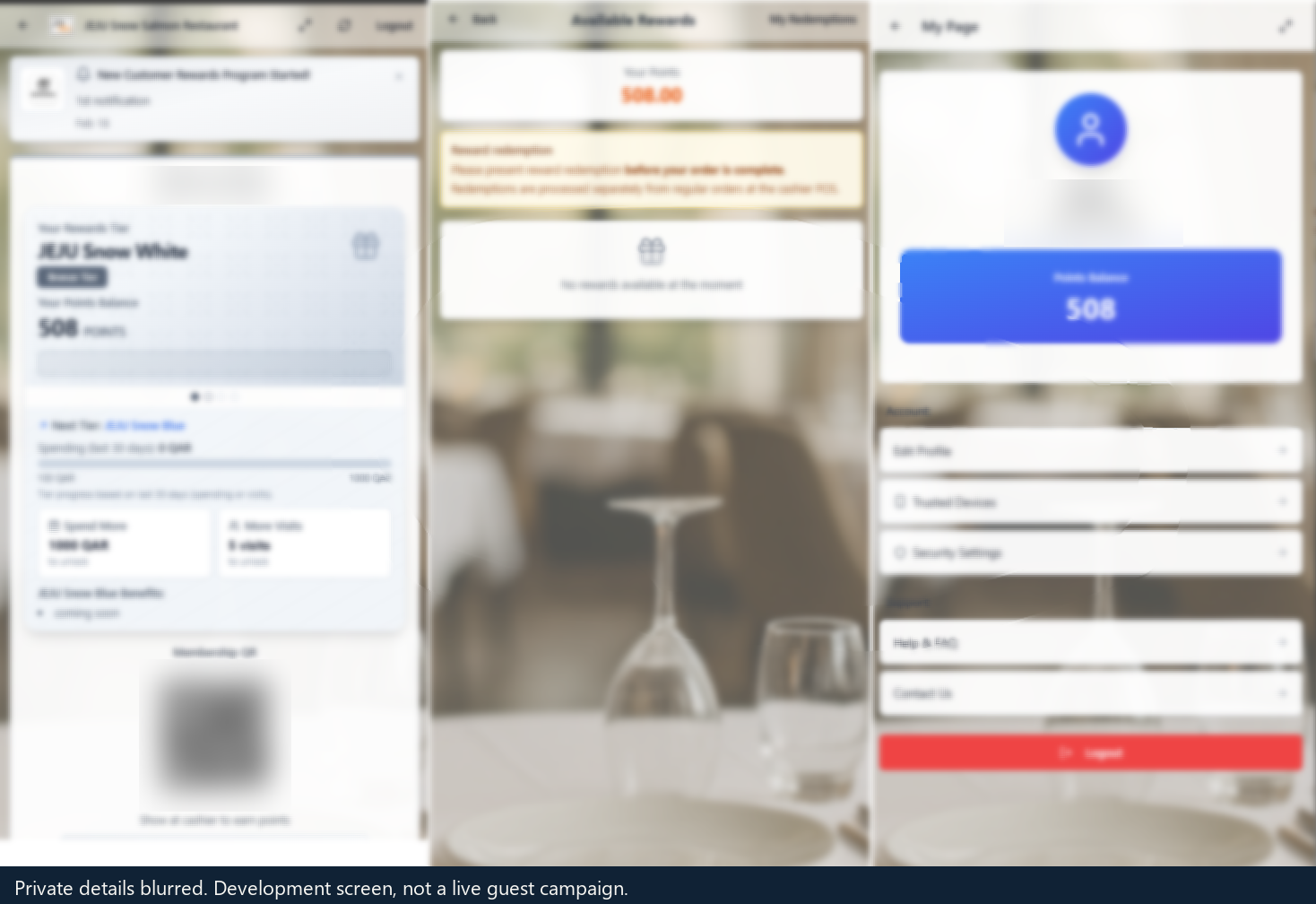
  3. NeuroPOS customer rewards screens from development work. The customer name, phone number and membership code are blurred.

    GuideAI

    After the First Visit: Restaurant CRM and Rewards

    A customer list is not a follow-up. Records, rewards, permission and message delivery have to be checked separately.

  4. Disconnected web pages, reviews, maps, and business data passing through an AI interpretation layer and becoming a clear set of trusted choices.

    FeaturedEpisode 003

    When AI Becomes the Search Layer, How Will Your Business Be Found?

    AI is turning search from a list of links into an interpretation layer. Explore what this changes for business discovery, branding, publishing, and the opportunities available to smaller operators.

  5. Unbranded restaurant storefront used with the Google Business Profile guide. It is not a client listing.

    Google Business Profile

    Google Business Profile for Restaurants (2026): Optimize Local Discovery

    Published guide on listings, posts, menus, and review strategy for restaurants.

  6. Reviews

    Why Five-Star Reviews Were Not Enough to Make Our Restaurant Profitable

    Published operator journal. Public ratings are an operating lesson, not a profit result.

  7. A neighborhood street used with the local SEO guide. It is not a ranking report.

    Local pages

    Local SEO for Restaurants: Rank for Near-Me & Neighborhood Search

    Published guide on neighborhood queries and citations.

  8. Editorial image for the published episode on content and human attention.

    Short-form content

    AI Can Create More Content. But Can It Make Someone Care?

    Published episode on content judgment. It is not a TikTok or Instagram production manual.

  9. Restaurant team huddle used with the published AI marketing guide. It is not a client result.

    Promotion workflows

    AI Marketing for Restaurants: How Restaurant Owners Can Attract More Customers and Increase Repeat Visits

    Published restaurant marketing guide. This row does not treat the title as a measured outcome.

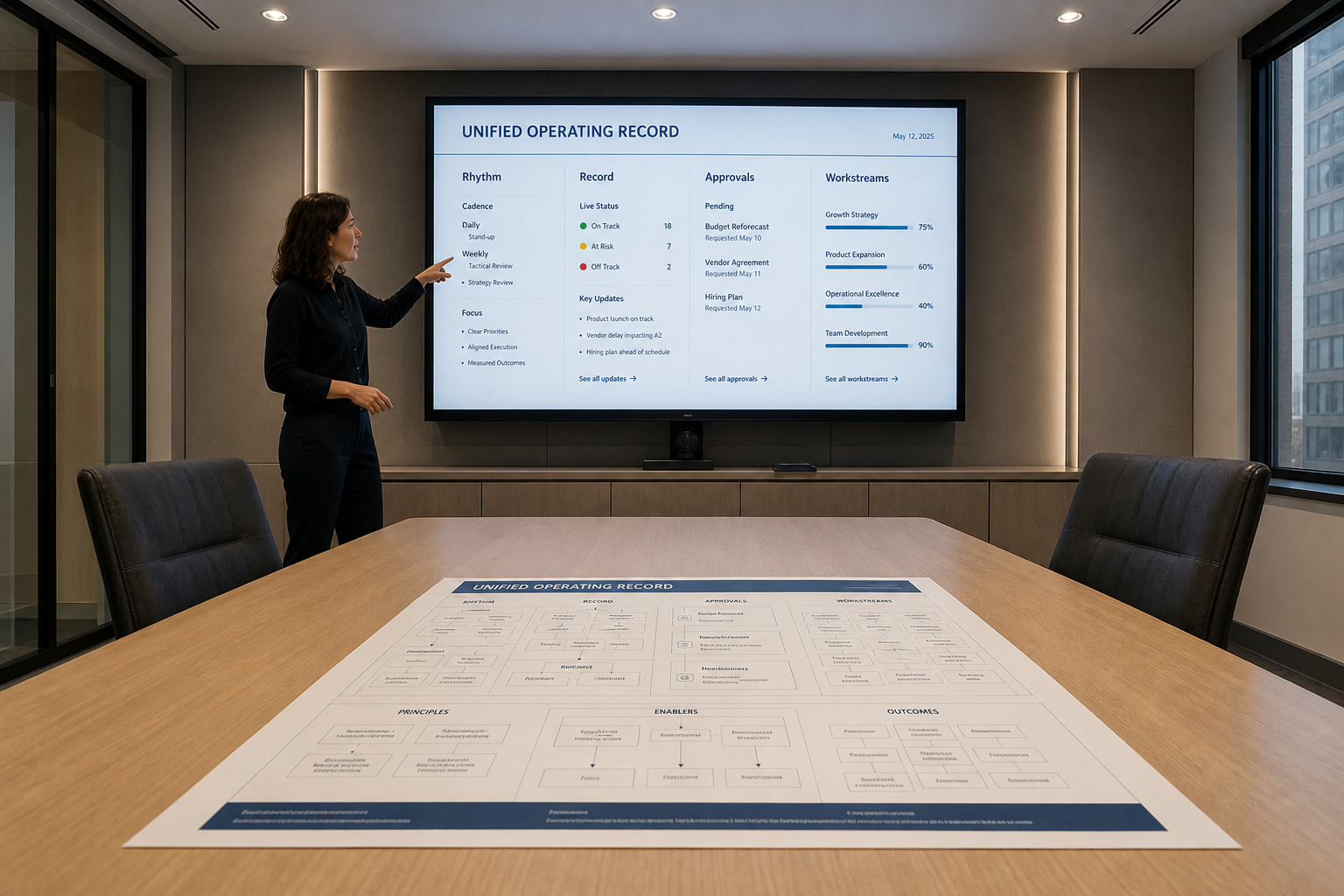
  10. A meeting room with an operating-record screen, used here for the How Work Runs framework.

    Workflow

    How Work Runs

    Published framework: rhythm, records, and decision gates before more automation.

  11. Empty restaurant dining room prepared before service, used with the daily operations guide.

    Daily rhythm

    Daily Restaurant Operations: What Has to Happen Every Day

    Published guide for the named daily work of an open restaurant.

  12. A one-page procedure posted at a kitchen station, used with the SOP guide.

    SOPs

    Restaurant SOP Guide: Write Procedures Staff Actually Follow

    Published guide on short procedures for repeatable restaurant work.

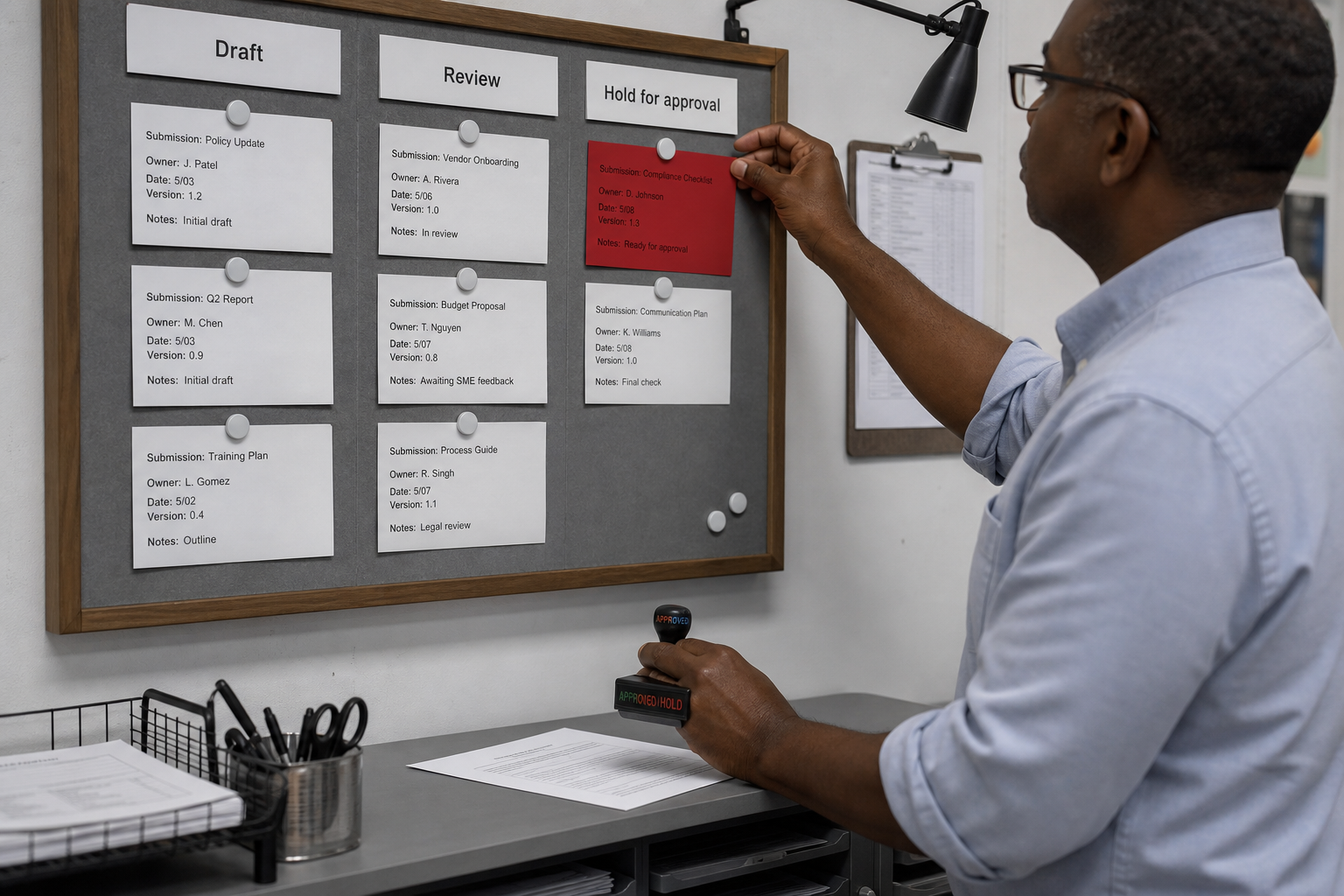
  13. An operator at a wall review board placing a hold card and stamping an approval decision.

    Human approval

    Orchestrating Agents Still Needs a Human Gate

    Published journal. Public claims and live changes still pass a person.

  14. Editorial image for the published episode on execution and follow-up.

    Follow-up

    Ideas Are the Starting Point. Execution Builds the Business.

    Published episode on carrying feedback through to a recheck. The article says it is not a success story yet.

All GuidesAll EpisodesAll JournalsRead How Work Runs

Implemented work

Work that has been built or operated.

These examples show how the capabilities have been used. Each one says what it demonstrates and what is still unverified. No independent customer outcomes are shown, because none were verified for this page.

WhateverAsk · Own operating example

The public site is the practice, published.

Guides, the AI Native Builder series, the Operator Journal, and How Work Runs are WhateverAsk doing its own business-building in public. That demonstrates the operating approach: rhythm, a shared record, and a human gate.

Still unverified. Independent customer revenue, enquiry totals, and rankings are not shown, because this example is the firm’s own site.

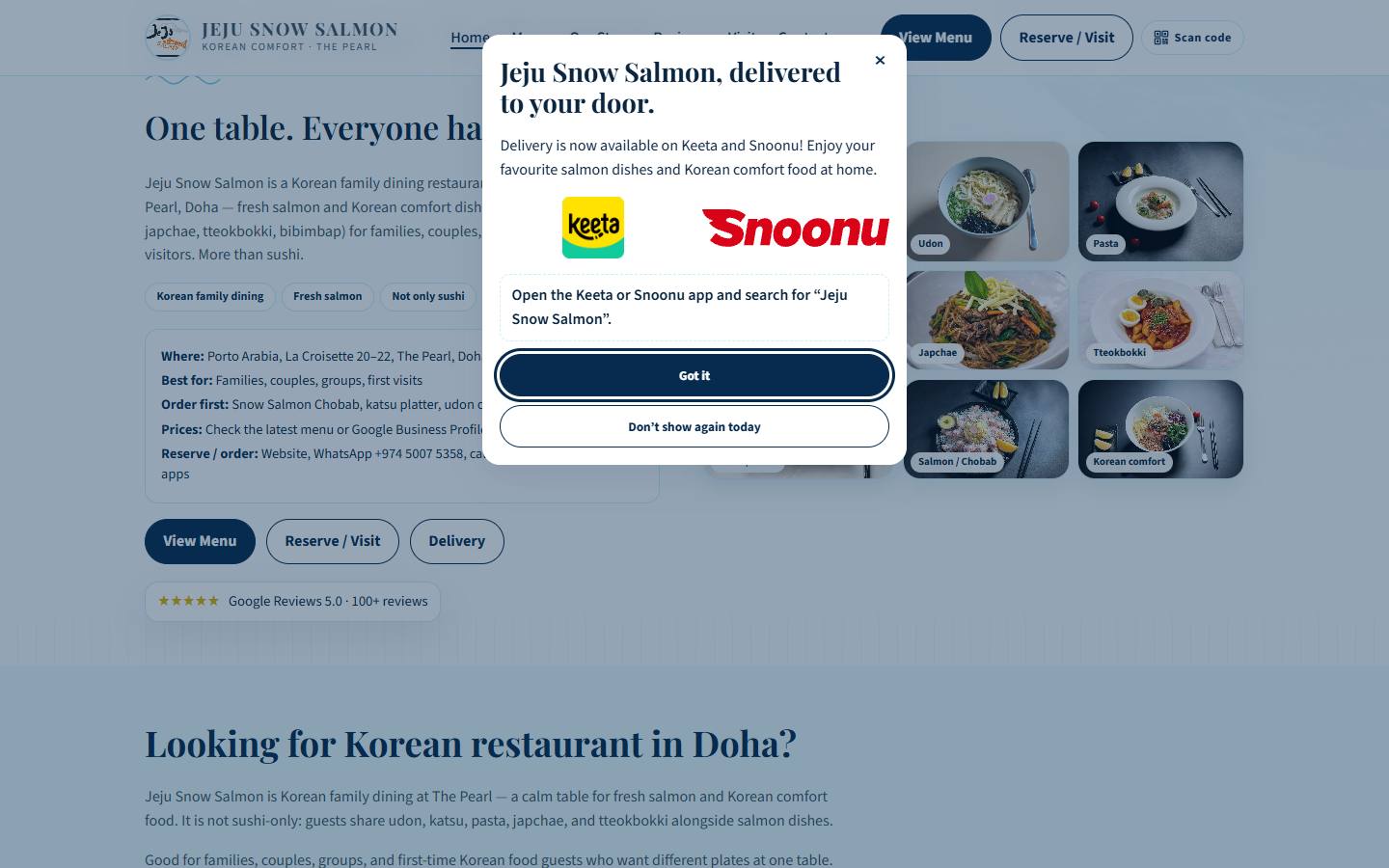
Public Jeju Snow Salmon website, including the menu and visit actions. Owner-family-operated restaurant. Not an independent client result.

Jeju Snow Salmon · Owner-operated, family-operated

A family restaurant’s public site.

Website, social content, and Google review work for a restaurant owned and operated by the Owner’s family. This is an application inside the family business. It is not an independent client case.

Still unverified. Rankings, booking totals, revenue, and any claim that a public rating was caused by WhateverAsk. The capture shows the public site as it appeared. It is not a performance report.

See the operator journal

NeuroPOS · Current restaurant operation at Jeju

Sanitized screens from the system in use.

NeuroPOS was built through an AI Native development approach. The screens below are sanitized views from current restaurant operation: the guest menu, kitchen order view, and reservation calendar.

Preparation for SaaS delivery to other businesses, including AWS migration and upgrades, is a separate direction. It is not presented as complete, and it is not generally available.

Guest menu · current restaurant operation
Kitchen order view · current restaurant operation
Reservation calendar · current restaurant operation

Still unverified. Use by businesses other than this restaurant operation. Live guest rewards redemption is not shown. Rewards screens published in the CRM guide are development and AWS test evidence.

Email about NeuroPOS

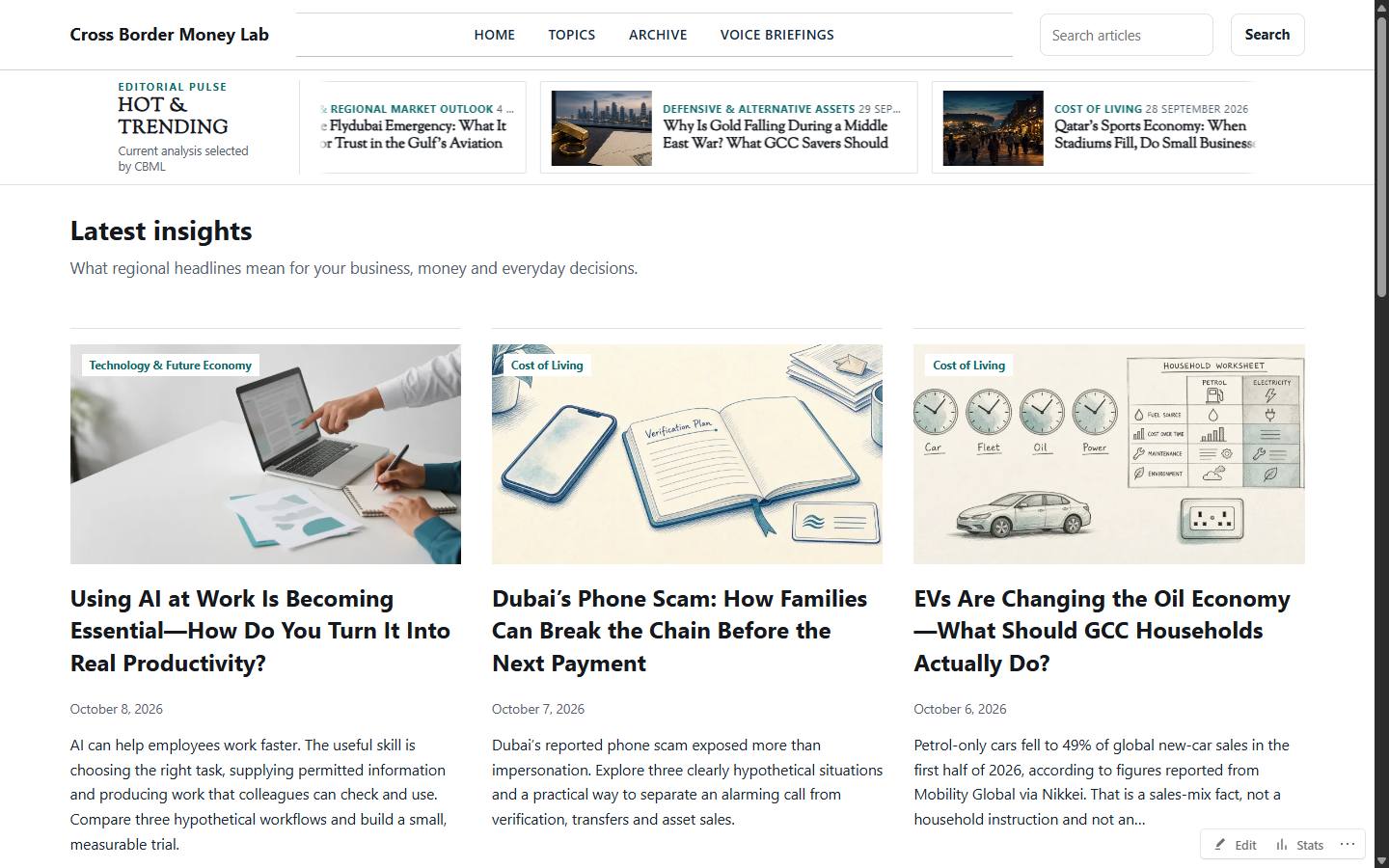
Cross Border Money Lab homepage, an owner-operated publishing site. Not an independent client and not a WhateverAsk article.

Cross Border Money Lab · Owner-operated publishing

A separate public reading site.

A separate publishing example, with a public site and reading experience. It is not part of Jeju and not an independent client. It is not a WhateverAsk article.

Still unverified. Subscriber totals, revenue, and any client relationship. None are claimed.

Discovery Growth · HOLD, still being built

A prototype direction, not a launched offer.

Repository records describe Discovery Growth as a page-audit direction that is still being built. The homepage card has been held. It is not shown here as a launched service, a customer project, or a measured result.

Still unverified. Public launch, customer use, and any outcome.

Consultation

Discuss the problem you want examined first.

This uses the existing contact page. It opens an email on your device. This page does not store the message, and nothing is sent until you send that email.

Regional context

Work here is also run in GCC and Qatar.

Those guides stay up and stay findable. They are context — not the name of the site. Current URL and current label stay.

GCC & Qatar

Future path

Newsletter, ebooks, and playbooks — later, if approved.

Articles and guides ship now. Case studies, playbooks, newsletter, and ebooks are named as future knowledge products — not launched on this site until separately approved.

Newsletter — futureEbook — futurePlaybooks — future

Start with what exists today: Guides, Operator Journal, and How Work Runs.